Decide two things before your trip:
- Which line will provide mobile data?
- Which number will receive bank and app verification texts?
They do not need to be the same SIM.
For many short trips, a practical setup is a travel eSIM for data, your home SIM kept active for SMS, and hotel Wi-Fi only as a backup. This works only if your phone supports eSIM, is unlocked, and your home carrier’s SMS and roaming charges are acceptable.
Option 1: Home-carrier roaming
Roaming is the simplest choice: your number, calls, texts, and data stay on one account.
Before departure, ask your carrier whether mainland China is included, how charging works, how much high-speed data you receive, whether tethering is allowed, and what incoming texts and calls cost. “China supported” does not always mean unlimited high-speed data.
Best for: a short trip when simplicity matters more than the lowest price.
Bottom line: Roaming is easy, but read the complete price and fair-use terms before landing.
Option 2: A travel eSIM for data
A travel eSIM can be installed before departure and turned on after landing. Many China plans are data-only products sold by data allowance and validity period.
Check that your phone supports eSIM and is carrier-unlocked. Confirm that mainland China is included, when the validity period starts, whether hotspot use is allowed, which local network and speed policy apply, and how to reach support from China.
A travel eSIM from a global provider is different from a local Chinese-carrier eSIM. Device and activation rules differ, so check your phone manufacturer’s and provider’s current guidance.
Best for: most short independent trips with a compatible, unlocked phone and no need for a Chinese number.
Bottom line: An eSIM is fast to install; it does not automatically solve calls, SMS, or access to every online service.
Option 3: A local SIM for a Chinese number
International visitors can apply for a SIM from China Mobile, China Unicom, or China Telecom at an official service hall using an original passport.
A local SIM is useful for a longer stay, local calls, or services that need a Chinese number. Check device compatibility, prepaid or monthly billing, data, hotspot rules, top-ups, cancellation, and whether charges continue after departure.
Local SIMs and local Wi-Fi use the mainland China network environment. A strong 5G signal does not mean that every overseas site or app will open.
Best for: longer travel or a real need for a Chinese number.
Bottom line: A local SIM provides a local number, but requires passport registration and more setup.
Can you buy a SIM at the airport?
Some major international airports have official SIM counters or traveler service centers. Not every airport does, opening hours change, and railway stations are not guaranteed places to buy one.
Check the airport’s current official information. If no counter is available, use roaming or a travel eSIM first, then visit an official China Mobile, China Unicom, or China Telecom store in the city.
Bottom line: An airport counter is useful when available; it should not be your only arrival-day data plan.
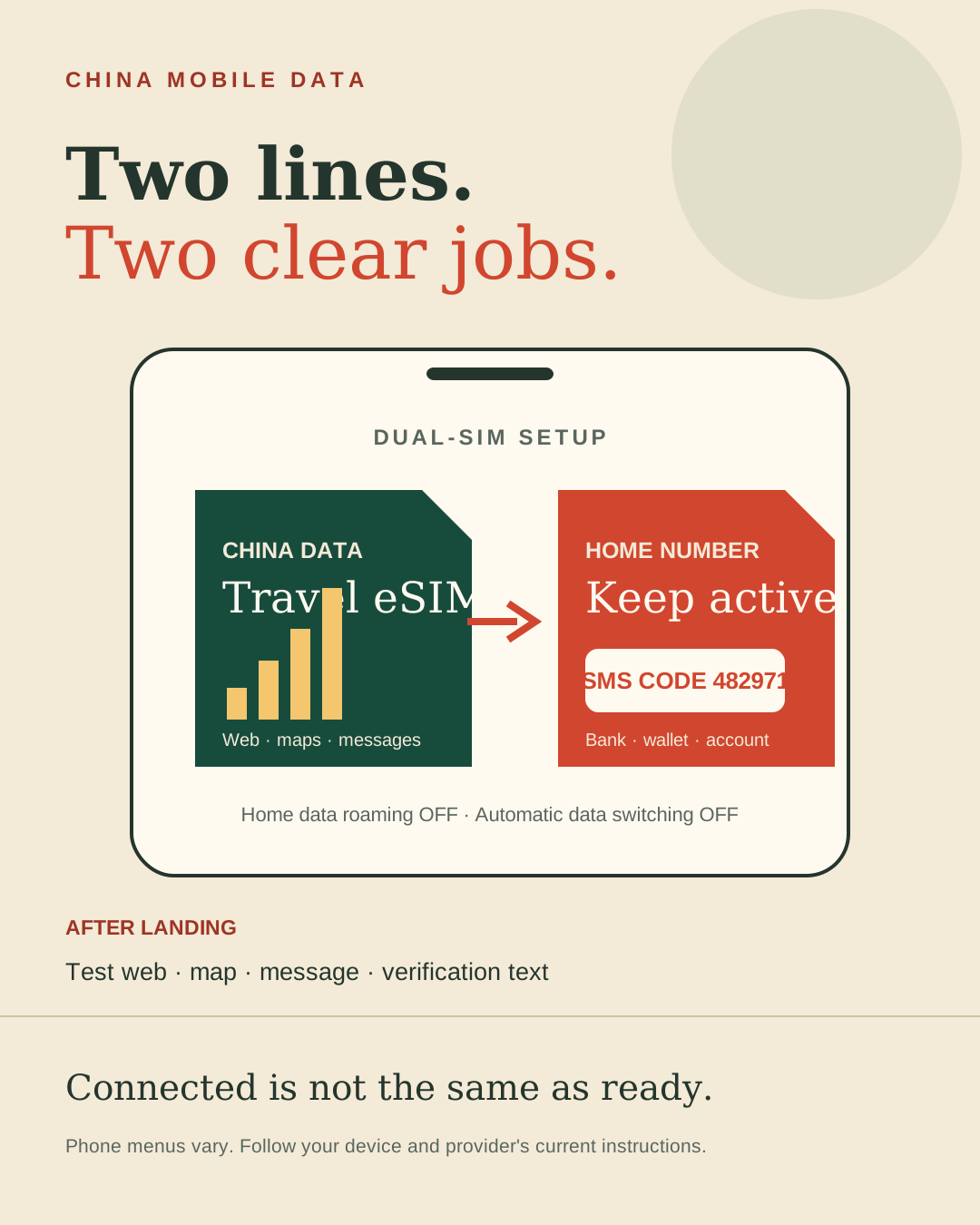
Keep your home number active for SMS
Alipay, WeChat, banks, and card issuers may send a verification code during login, card setup, or a security check.
If another line handles data:
- keep the home SIM or eSIM turned on
- assign mobile data to the travel line
- turn off data roaming for the home line
- turn off automatic mobile-data switching
- confirm the cost of receiving SMS in China
- test the dual-SIM setup before departure
Phone menus and dual-SIM behavior differ by model. Follow the current instructions for your device rather than copying an old screenshot.
Bottom line: Change the data line if needed; keep the verification number reachable.
Test the services you actually need
Hotel Wi-Fi, a local SIM, home-carrier roaming, and a travel eSIM may route traffic differently. Before buying, read the provider’s current China coverage and routing notes, but treat marketing claims as temporary rather than permanent guarantees.
After landing, test a webpage, AMap, messaging, and one verification text before leaving the airport. “Connected” and “can open the service I need” are separate tests.
Use public Wi-Fi as a backup
Airport and hotel Wi-Fi may require a phone number, SMS, room number, or sign-in page. It may be slow or unreliable.
Confirm the official network name, avoid sensitive payments or passport uploads through unknown links, and disable automatic joining of unfamiliar networks. Do not make public Wi-Fi your only plan for maps, rides, and hotel directions on day one.
The 10-minute setup
- Confirm that your phone is unlocked and supports the chosen SIM or eSIM.
- Save the order, QR code, APN, and support details offline.
- Install an eSIM on stable Wi-Fi; do not start its validity early unless the provider says installation is safe.
- Rename the lines “Home” and “China Data.”
- Assign mobile data to China Data.
- Turn off Home data roaming and automatic data switching.
- Keep Home active for SMS.
- Download an offline map, translation pack, and first-night booking.
- Save the hotel’s Chinese name, address, and phone number.
- Test web, map, messages, and SMS after landing.
Final answer: For a short trip, compare home roaming with a travel eSIM while keeping your home number available for texts. Get a local SIM only when a Chinese number or longer stay makes the extra setup worthwhile.
Continue reading
- Your First Trip to China: The 72-Hour Checklist
- Essential Apps for Your First Trip to China
- How to Pay in China: 4 Things to Set Up Before Your Trip
- Payment Not Working in China? Fix It at the Checkout First
Sources checked for this update
- China Government, Guide to Working and Living in China (2025), checked July 19, 2026
- Apple Support, Use eSIM while traveling internationally with your iPhone, updated March 10, 2026
- Beijing and Shanghai government guidance on airport SIM services, checked July 19, 2026
- Current China Mobile, China Unicom, and China Telecom service guidance, checked July 19, 2026